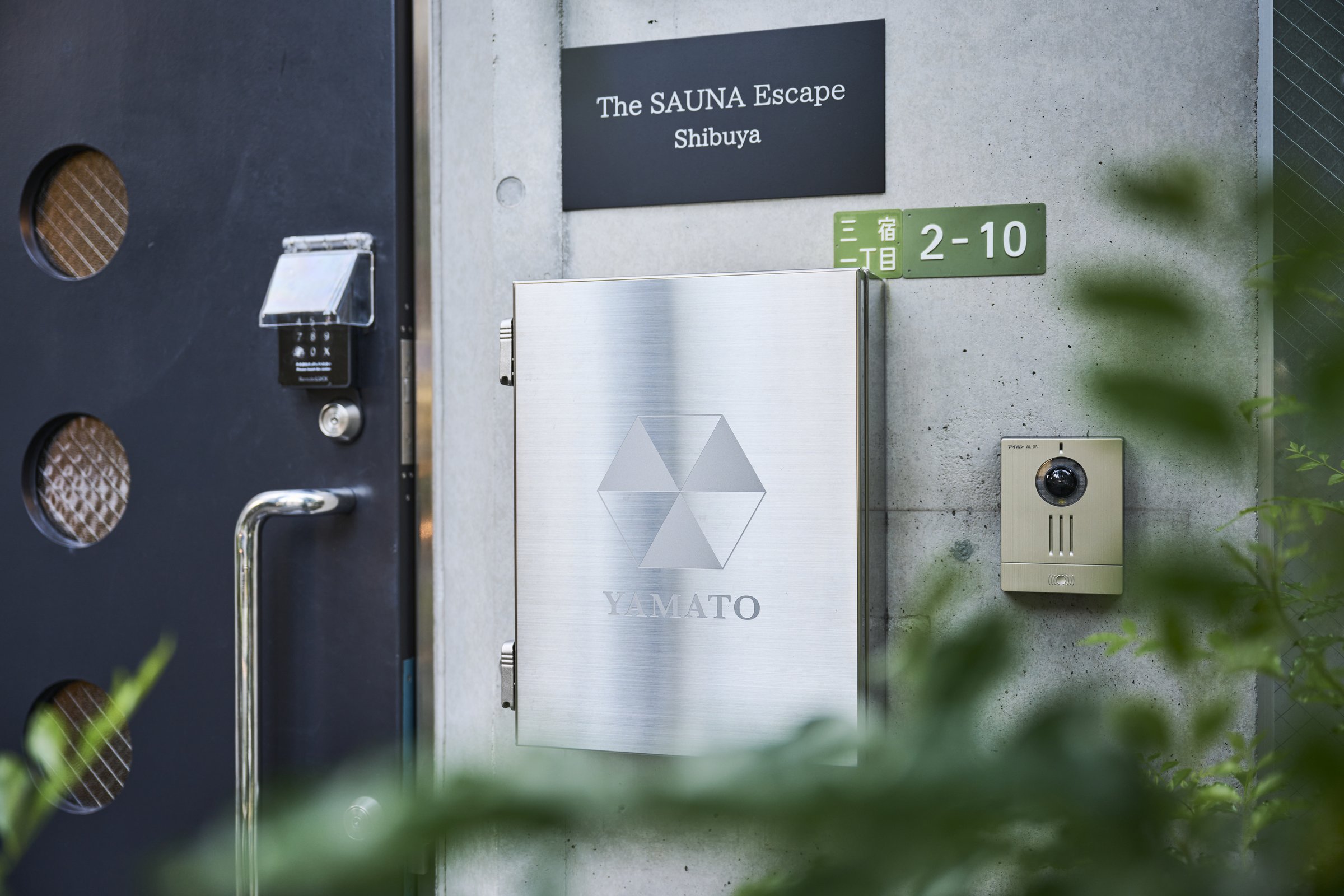
We’ll send you the digital key PIN before you arrive. Please follow the steps below to enter.
Getting Your PIN
Once your reservation is confirmed, we’ll send you instructions for advance online check-in through the messaging function of the booking site.
Your villa’s PIN will be displayed once you complete advance check-in. Please complete it before you arrive.
If you can’t find the instructions, please contact us through the messaging function of the booking site.
Unlocking the Front Door
- Touch the number pad on the front door to light it up.
- Enter the PIN we sent you, then press the confirm button.
- Once the door is unlocked, open it and step inside.
Locking the Door During Your Stay
When you go out, simply close the door and it will lock automatically. You can use the same PIN to unlock it whenever you return.
At Check-out
There’s no key to return. Please check that you haven’t left anything behind, then close the door when you leave.
Your PIN will automatically stop working from the check-out time of 11:00.
If You Have Trouble
If your PIN is not accepted, the keypad does not respond, or you encounter a similar issue, please contact us through the messaging function of the booking site you used.
For urgent assistance, please use the contact options below.
Messaging function of the booking site you used (9:00–21:00). For late-night emergencies, please use the staff contact details provided in your pre-arrival message.